 eWriter
The complete writer's studio
From first draft to published book.
Organize your story, write, revise and format in one place, all the way to a print-ready PDF and an EPUB for the ebook stores.
 Free trial in the store.
For Windows 10 and later. macOS and Linux in development.
01 Organize
Your whole world, always at hand.
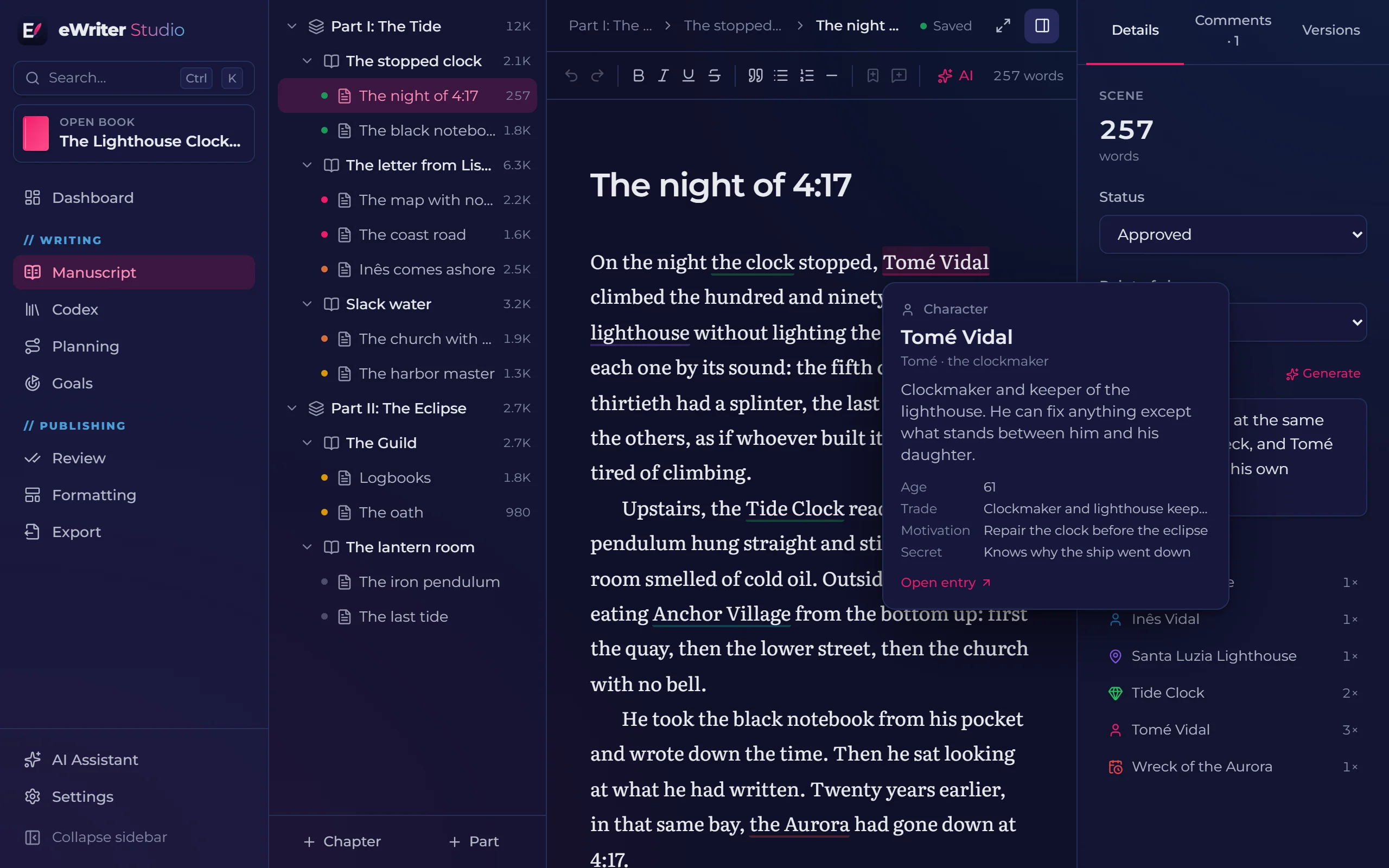
A story encyclopedia for characters, places, objects, organizations, lore and events. Every entry knows which scenes it appears in.
- Names and nicknames highlighted automatically in your text
- Free-form attributes: age, trade, motivation, secrets, whatever you need
- Relationships between entries, a family tree and one encyclopedia for every book in a series
- Genre templates, like dark fantasy, science fiction and mystery, with ready-made entry types and attributes
02 Plan
See the story before you write it.
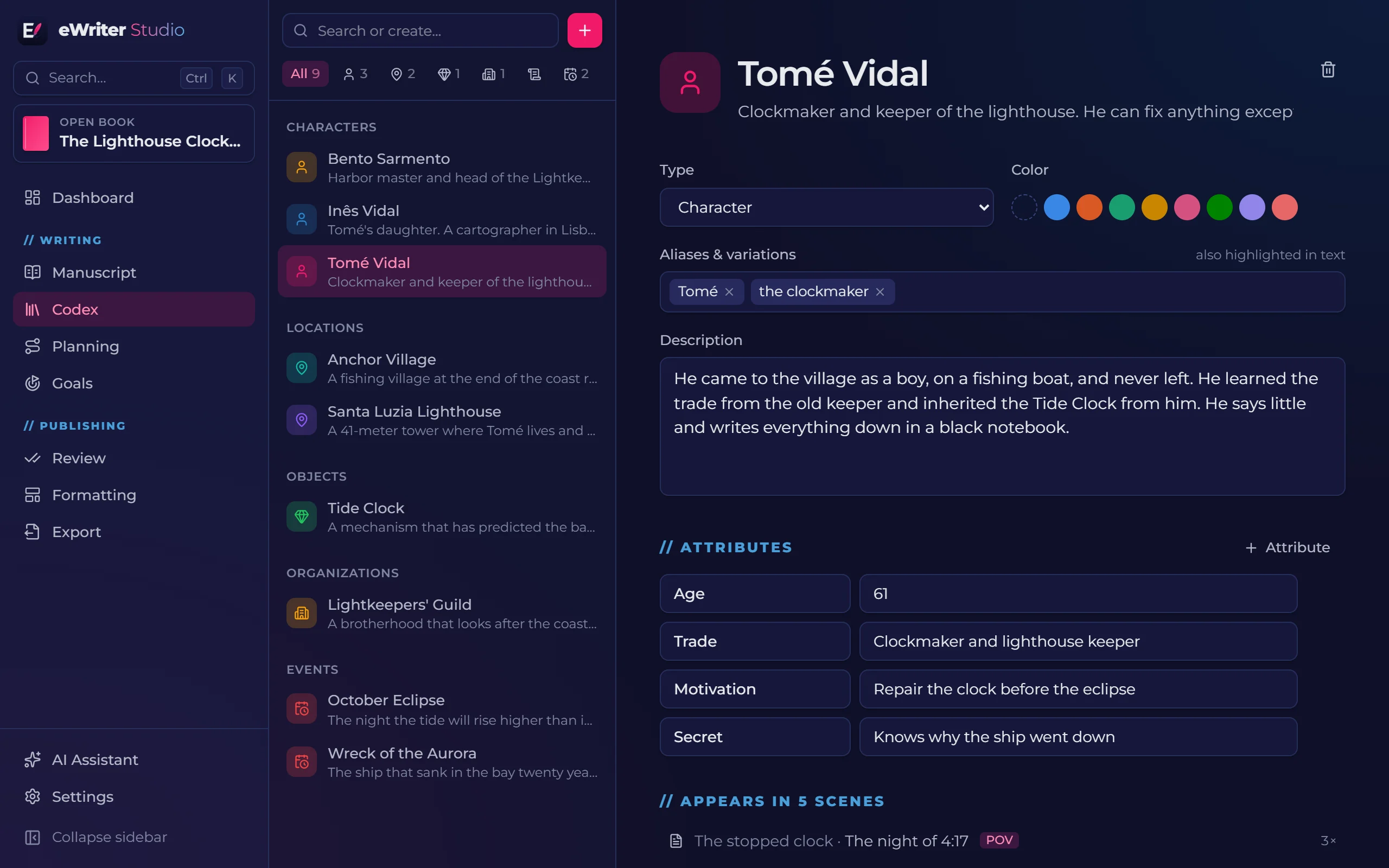
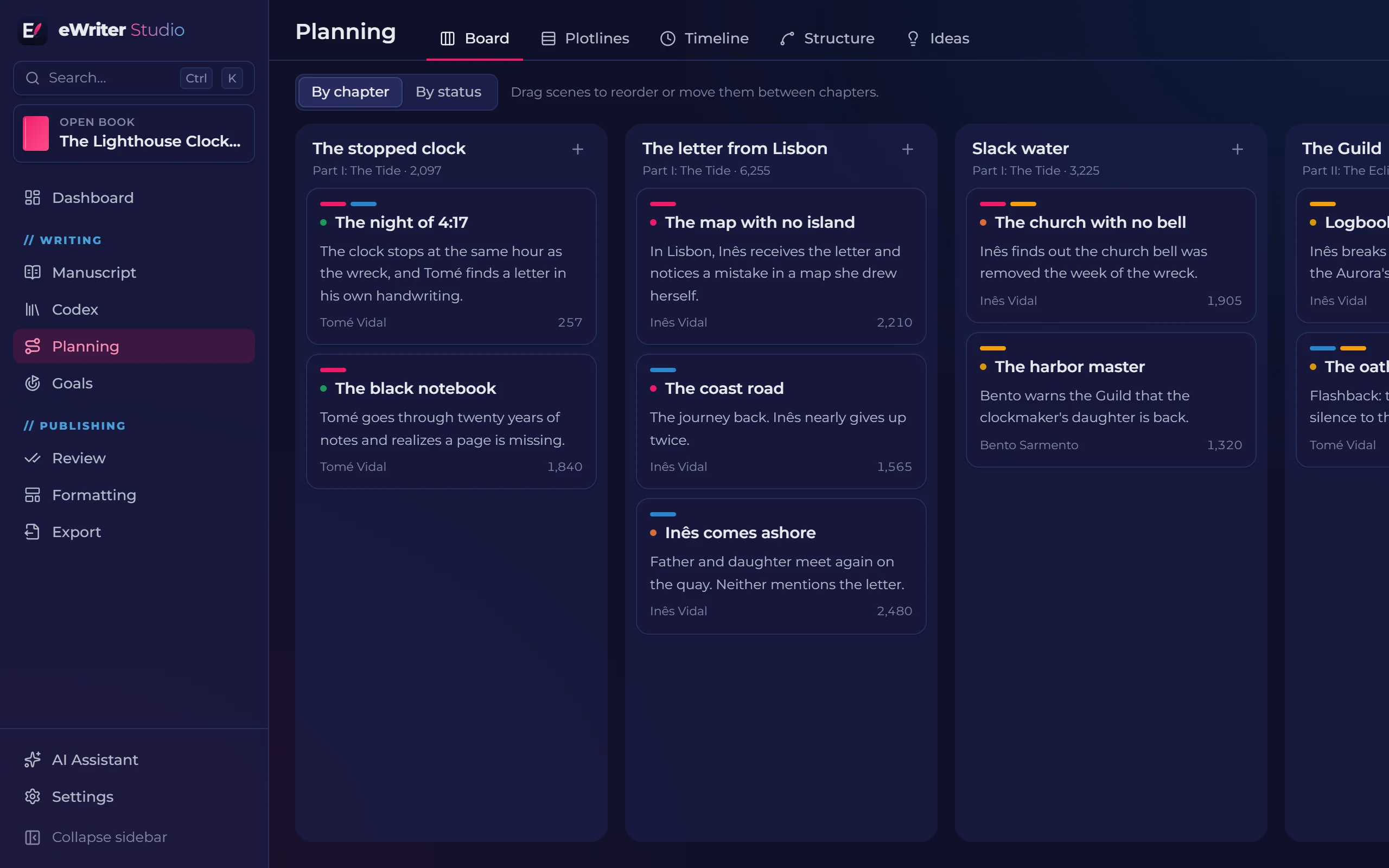
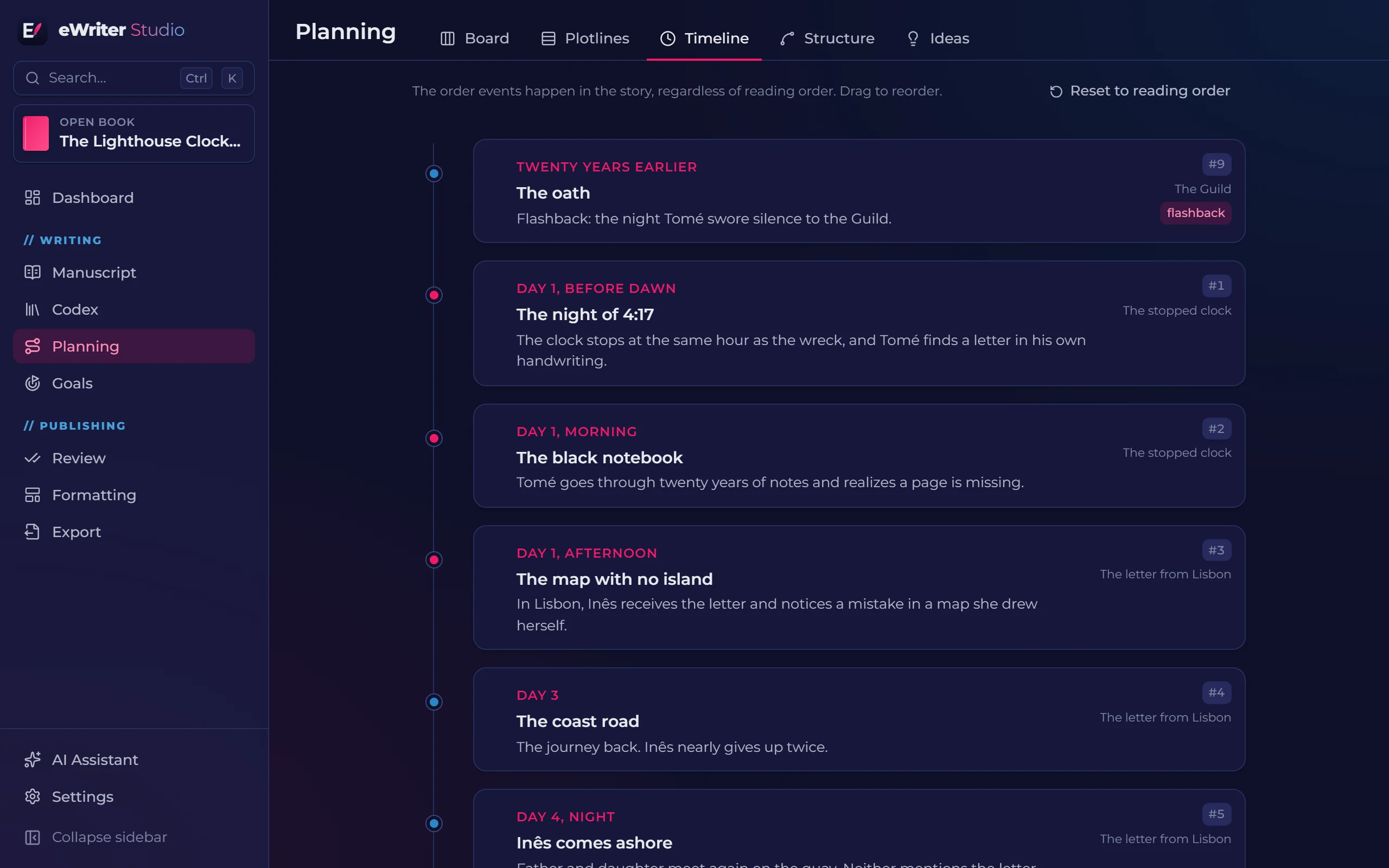
Drag scenes around the board, cross plotlines with chapters and check the order of events apart from the reading order.
- Ready-made structures: three acts, hero's journey, Save the Cat and seven-point
- A timeline that flags flashbacks by itself
- An ideas notebook and a research folder with notes, links, images and PDFs
03 Write
When it's time to write, just the text.
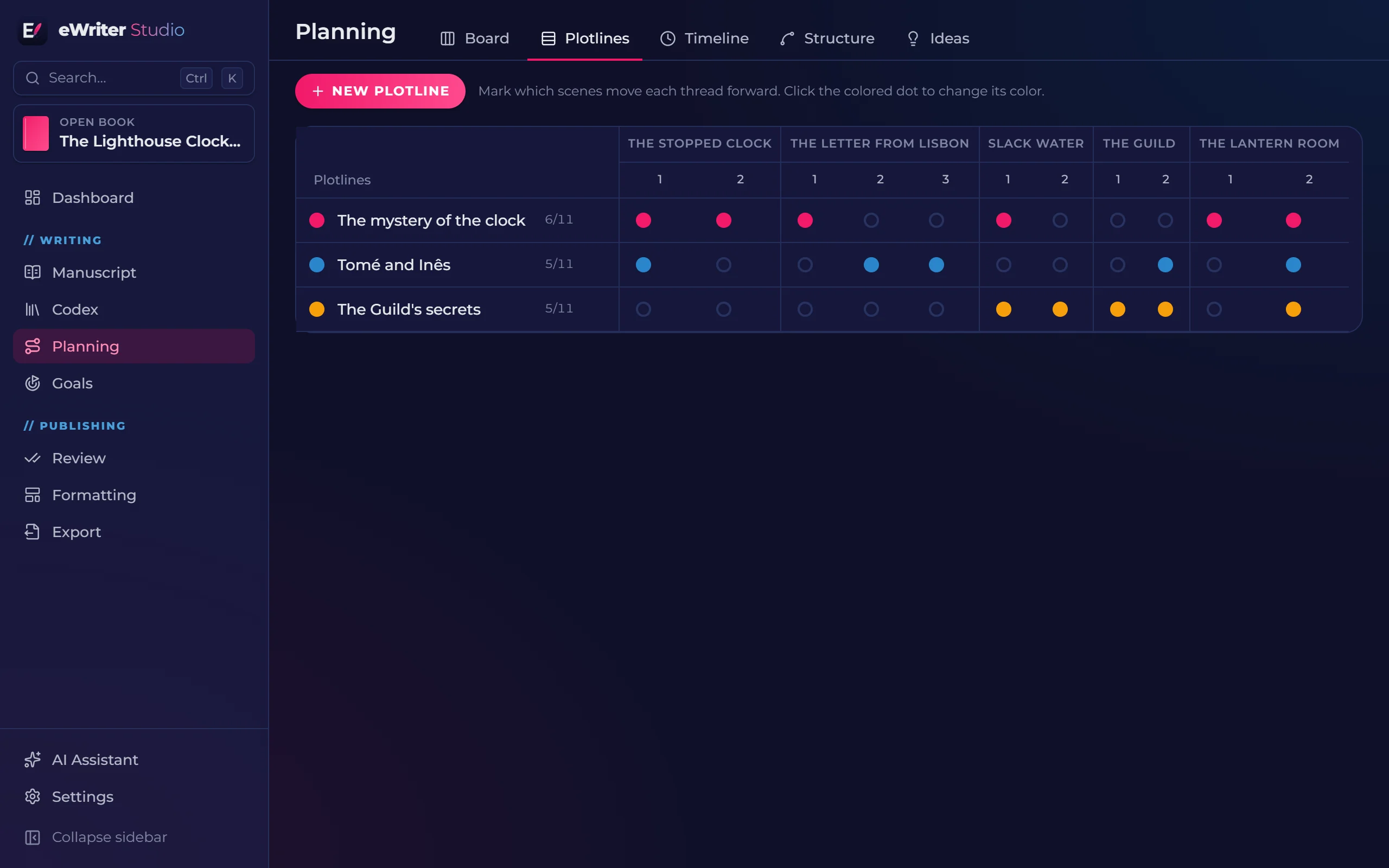
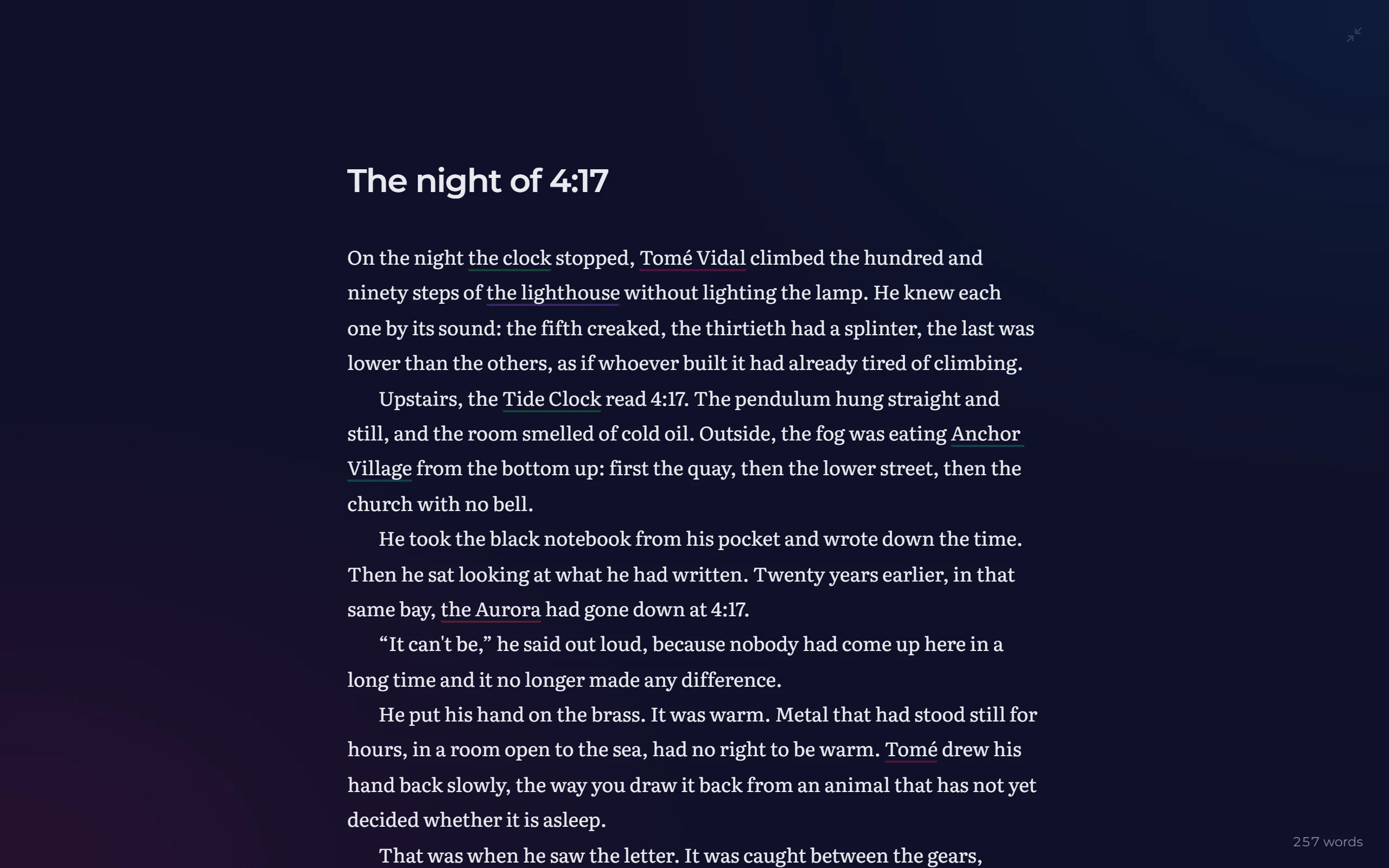
Your book divided into parts, chapters and scenes, each scene with a status, synopsis and point of view. When the moment comes, focus mode hides everything else.
- Typographic quotes and dialogue dashes that follow the book's language
- Versions of every scene, with word-by-word comparison
- Comments anchored to passages of text
- Find and replace across the whole book, with regular expressions
Goals
A book is made of days.
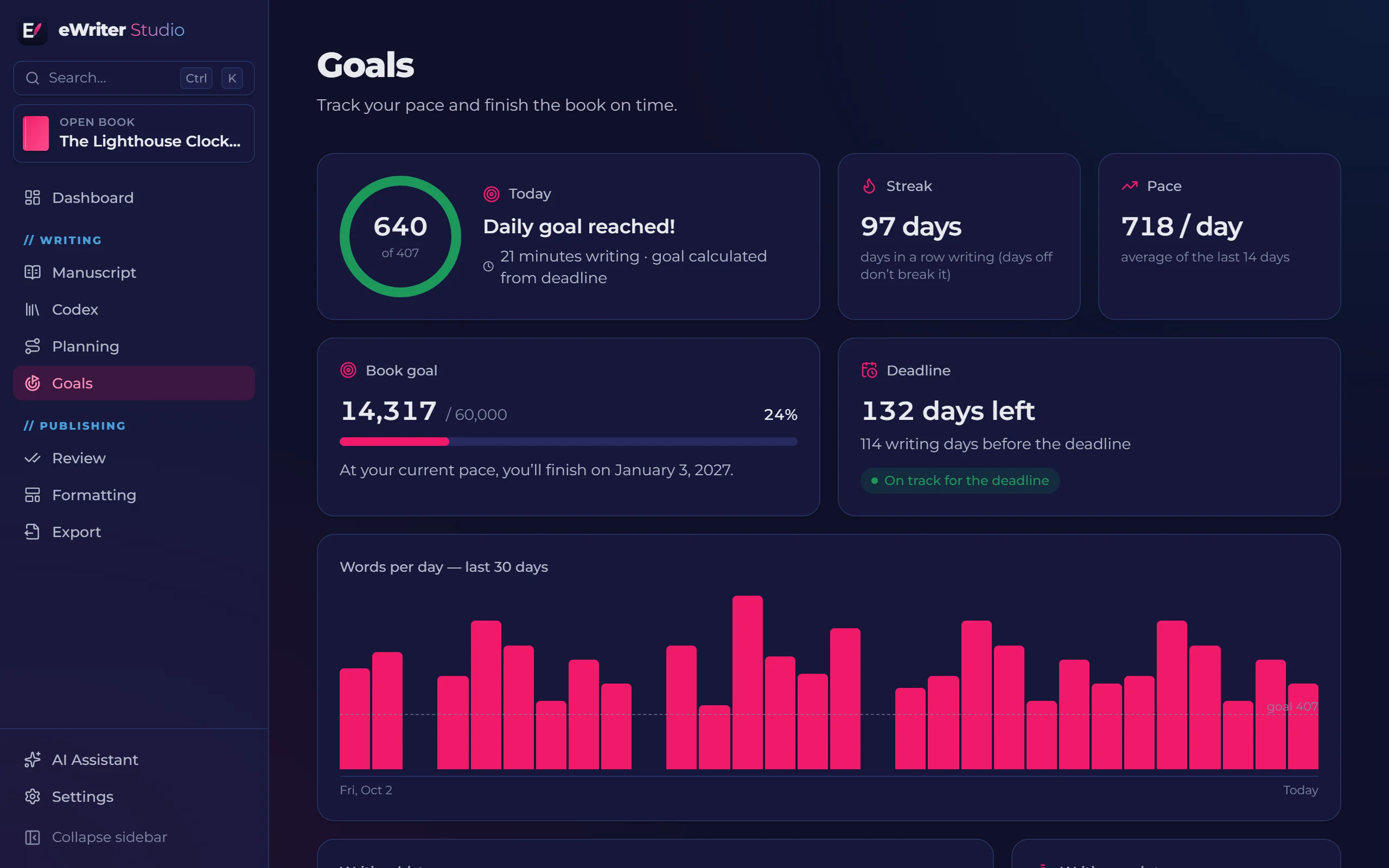
Set the book's length and your deadline. The app works out how much to write each day and shows whether you are on pace to get there.
- Daily goal, writing streak and projected finish date
- Days off respected: you choose your writing days
- Timed writing sprints and a history of your pace
04 Review
Catch what tired eyes let slip.
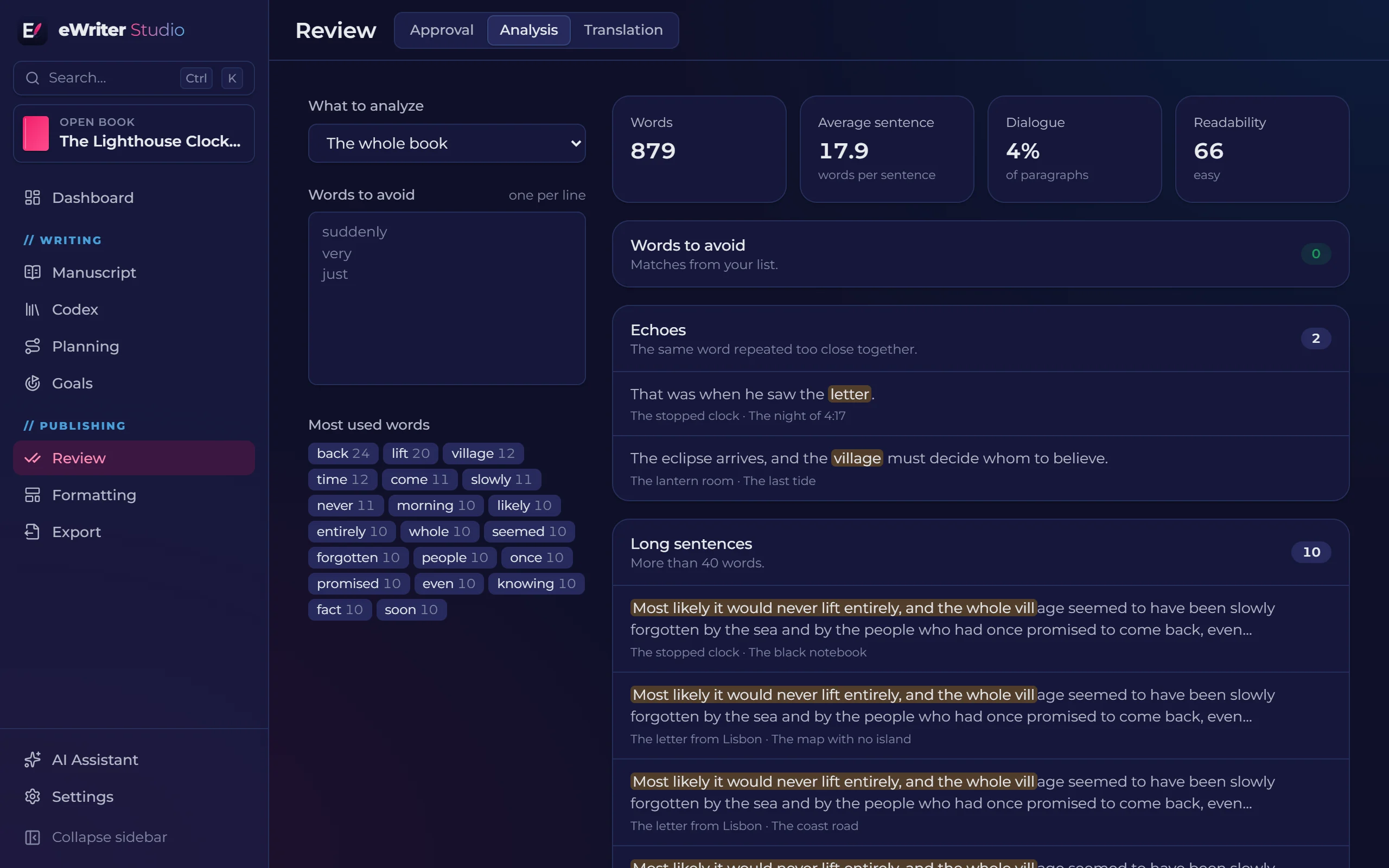
Analyses run on your computer and point out repetitions and writing habits, with the passage and scene for each one. Then approve scene by scene until the chapter is done.
- Words to avoid, echoes, long sentences, passive voice and adverbs
- Readability score and share of dialogue
- AI consistency check and approval by scene and chapter
05 Format
Format like a pro, without leaving the app.
Live two-page preview and a print-ready PDF, with the details that separate a book from a document.
- KDP and ISO trim sizes, plus the formats used by Brazilian printers
- Mirrored margins, hyphenation, widow and orphan control
- Title page, copyright page, automatic table of contents and image pages
On the night the clock stopped, Tomé Vidal climbed the hundred and ninety steps of the lighthouse without lighting the lamp. He knew each one by its sound: the fifth creaked, the thirtieth had a splinter, the last was lower than the others.
Upstairs, the Tide Clock read 4:17. The pendulum hung straight and still, and the room smelled of cold oil. Outside, the fog was eating the village from the bottom up: first the quay, then the lower street, then the church with no bell.
He took the black notebook from his pocket and wrote down the time. Then he sat looking at what he had written. Twenty years earlier, in that same bay, the Aurora had gone down at 4:17.
The whole cover, with a spine that fits.
The spine width comes from the page count and the paper. The preview shows bleed and guides, and the back cover already saves room for the barcode.
- A single image can span the whole cover
- An ebook cover of its own, or a crop of the print one
06 Publish
A profile for every destination.
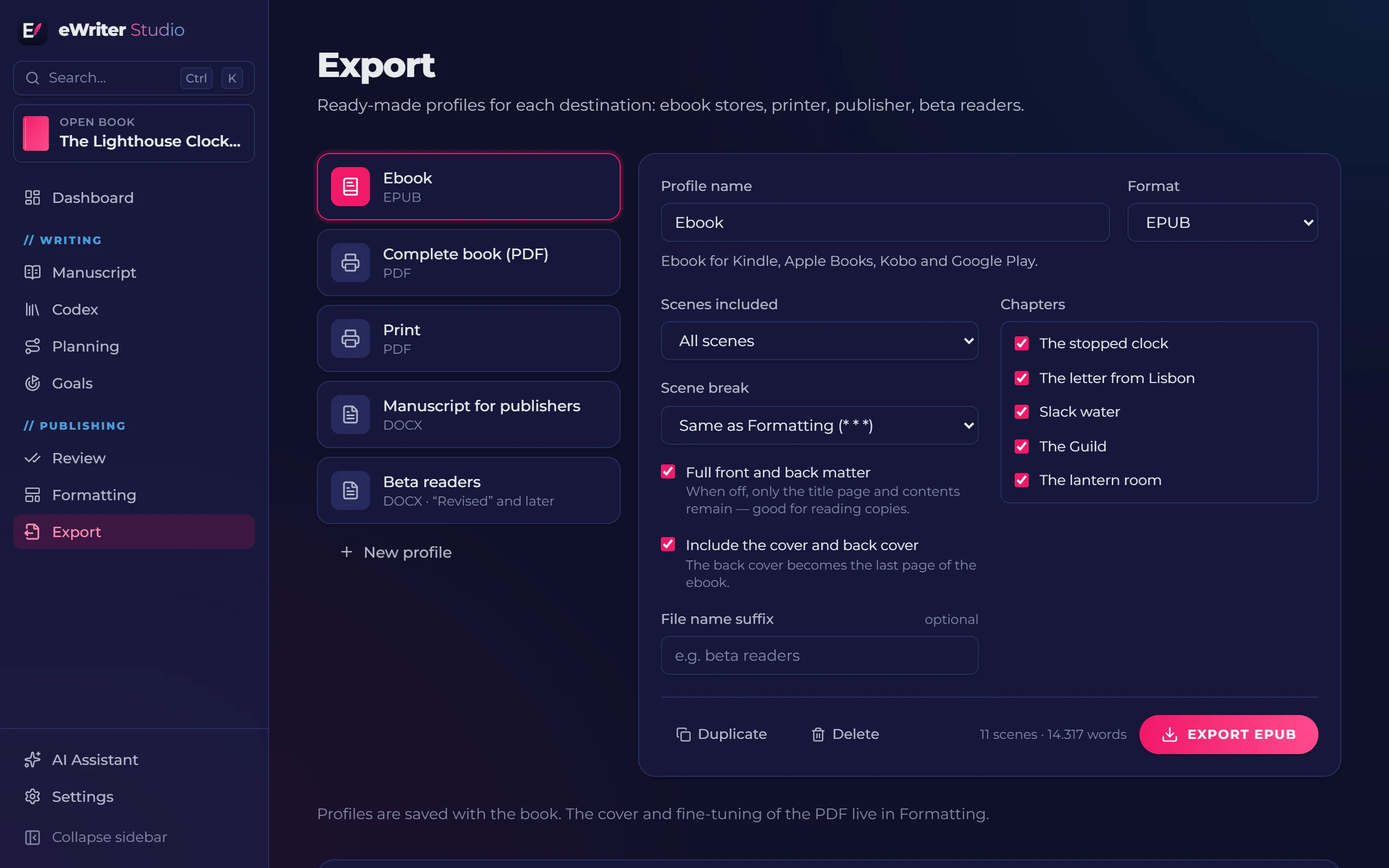
Ebook for the stores, PDF for the printer, manuscript for the publisher, a copy for beta readers. Profiles are saved in the book, so exporting again takes one click.
- Print PDF, EPUB 3, DOCX in standard manuscript format and Markdown
- Filter by chapters and by scene status
- A complete book PDF, with front and back covers, to send to your readers
- Round-trip DOCX: your reviewer comments in Word and the comments come back to your scenes
AI, if you want it
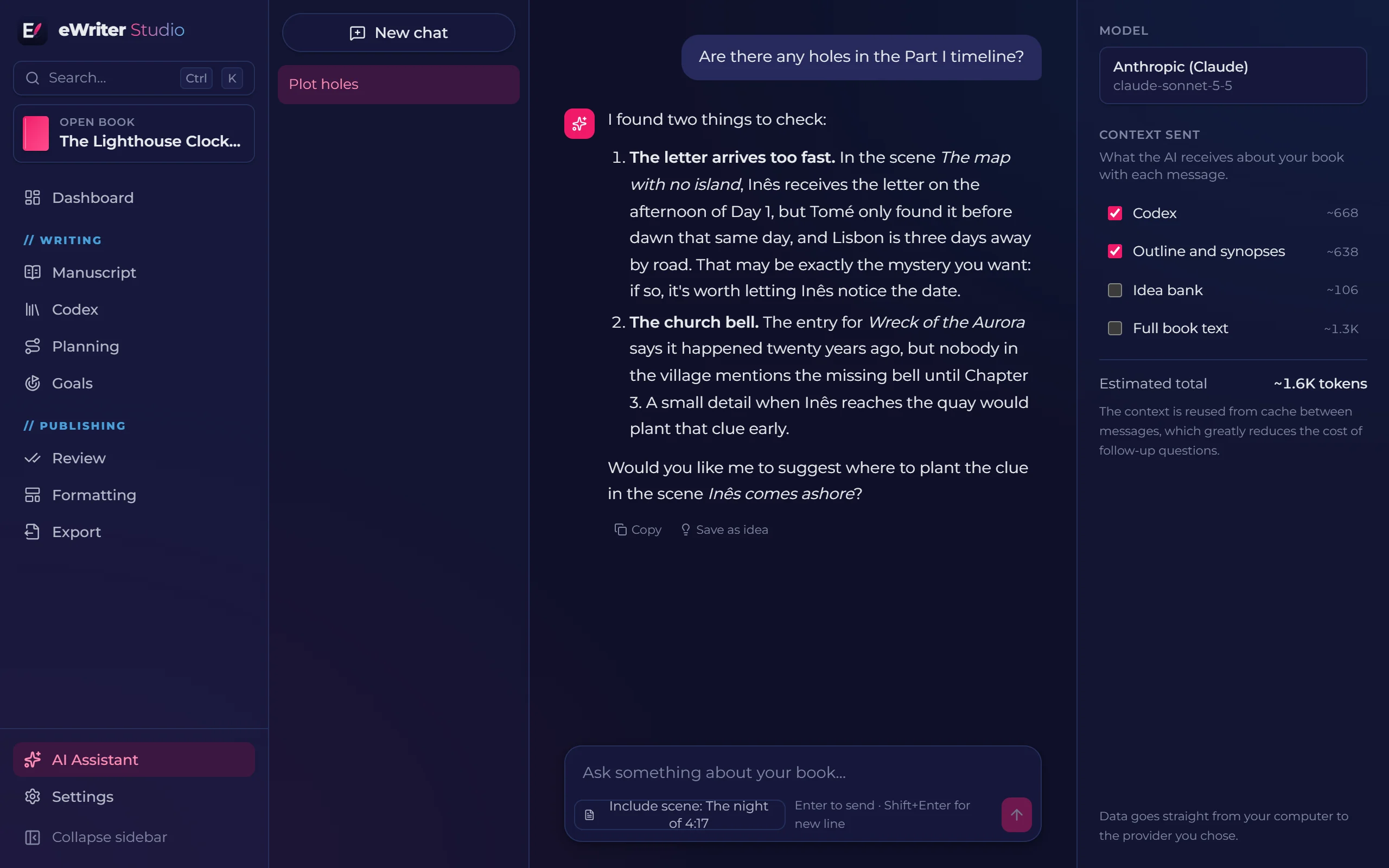
An assistant that knows your book.
Use your own key for Claude, ChatGPT, Gemini or OpenRouter, or a local model with Ollama. You choose what the AI can read, and nothing is sent without your action.
- Conversations with the context of your encyclopedia and outline
- Rewrite, expand and shorten passages, with a preview before applying
- Translate the whole book into a new edition
- Keys stored in the Windows credential vault
No fine print
Your books are yours.
Everything stays on your computer. Bring in projects from Word, Markdown and Scrivener, make a full backup of a book with one click, or export everything as Markdown and JSON you can read without the app.
Comparison
How eWriter compares
No program does everything. This is an honest comparison with the programs writers use most, including what eWriter doesn't do yet.
| Feature | eWriter Studio | Scrivener | Atticus | Vellum | Novelcrafter | Campfire | Word |
|---|---|---|---|---|---|---|---|
| Book organized into parts, chapters and scenes | Yes | Yes | Partial | Partial | Yes | Yes | No |
| Story encyclopedia: characters, places, objects… | Yes | Partial | No | No | Yes | Yes | No |
| Entry names recognized in the text | Yes | No | No | No | Yes | Partial | No |
| Scene board, outline table and plotlines | Yes | Yes | No | No | Yes | Partial | No |
| Story timeline, separate from reading order | Yes | No | No | No | Partial | Yes | No |
| Professional typesetting and print-ready PDF | Yes | Partial | Yes | Yes | No | No | Partial |
| EPUB export for ebook stores | Yes | Yes | Yes | Yes | No | Yes | No |
| AI that knows the book's encyclopedia and outline | Yes | No | No | No | Yes | No | Partial |
| macOS | In development | Yes | Yes | Yes | Yes | Yes | Yes |
| Linux | In development | No | Yes | No | Yes | Yes | Partial |
| Real-time co-editing | No | No | Partial | No | No | No | Yes |
| Writing | |||||||
| Book organized into parts, chapters and scenes | Yes | Yes | Partial | Partial | Yes | Yes | No |
| Split editor: another scene or entry beside the text | Yes | Yes | No | No | Partial | Partial | Partial |
| Story world | |||||||
| Story encyclopedia: characters, places, objects… | Yes | Partial | No | No | Yes | Yes | No |
| Custom entry types and attributes | Yes | Partial | No | No | Yes | Yes | No |
| Entry names recognized in the text | Yes | No | No | No | Yes | Partial | No |
| Character relationships and family trees | Yes | No | No | No | Partial | Yes | No |
| Interactive world maps | No | No | No | No | No | Yes | No |
| One encyclopedia for every book in a series | Yes | No | No | No | Yes | Partial | No |
| Research folder with PDFs, images and web pages | Yes | Yes | No | No | Partial | Yes | No |
| Planning | |||||||
| Scene board, outline table and plotlines | Yes | Yes | No | No | Yes | Partial | No |
| Story timeline, separate from reading order | Yes | No | No | No | Partial | Yes | No |
| Ready-made story structures (three acts, Save the Cat…) | Yes | No | No | No | Partial | Yes | No |
| Revision | |||||||
| Style review: repetition, adverbs, long sentences | Yes | Partial | No | No | No | No | Partial |
| Whole-book translation | Yes | No | No | No | Partial | No | Yes |
| Formatting and publishing | |||||||
| Professional typesetting and print-ready PDF | Yes | Partial | Yes | Yes | No | No | Partial |
| Full print cover with calculated spine | Yes | No | No | No | No | No | No |
| EPUB export for ebook stores | Yes | Yes | Yes | Yes | No | Yes | No |
| Word export (DOCX) | Yes | Yes | Yes | No | Yes | No | Yes |
| Artificial intelligence | |||||||
| AI that knows the book's encyclopedia and outline | Yes | No | No | No | Yes | No | Partial |
| AI with your own key or a local model | Yes | No | No | No | Yes | No | No |
| Platform and price | |||||||
| The book stays on your computer and opens offline | Yes | Yes | Partial | Yes | Partial | Partial | Yes |
| Windows | Yes | Yes | Yes | No | Yes | Yes | Yes |
| macOS | In development | Yes | Yes | Yes | Yes | Yes | Yes |
| Linux | In development | No | Yes | No | Yes | Yes | Partial |
| Phone and tablet | No | Partial | No | No | Partial | Yes | Yes |
| Real-time co-editing | No | No | Partial | No | No | No | Yes |
| One-time purchase, no required subscription | Yes | Yes | Yes | Yes | No | Partial | Partial |
Comparison made in November 2026 from each program's website and documentation. “Partial” means the feature exists but is limited, manual or relies on templates. These programs change often, so check each website before you decide. Names are trademarks of their respective owners.
Questions
Before you install
Can I try it before buying?
Yes. Microsoft Store offers a free trial, and the app shows the days left in Settings, on the About tab.
Do I also have to pay for the AI?
AI is optional, and the app works without it. If you want to use it, you pay your chosen provider directly, with your own key. With Ollama, models run on your computer, at no cost and with no internet.
Does my text go to a server?
No. Your book is saved on your computer. The text only leaves it when you use an AI feature, and it goes straight to the provider you chose.
Can I bring in a book I've already started?
Yes. The app imports Word (.docx), Markdown and Scrivener projects, with parts, chapters, scenes and formatting. From Scrivener, characters and places become encyclopedia entries.
Which computers does it run on?
Today, PCs with Windows 10 (version 17763) or later. The purchase stays in your Microsoft account, which lets you install on up to ten Windows devices. The macOS and Linux versions are in development, with no release date yet.
Which languages is it available in?
The interface comes in Portuguese, English, Spanish, French, German and Italian, with light and dark themes. A guided tour introduces the screens the first time you open the app.
Can it handle a long book?
Yes. The app is tested with a 300,000-word book with 200 scenes. Search covers the whole book at once, and the layout preview only draws the pages on screen, so a thousand-page book scrolls without stalling.
What format is my book stored in? Will I be able to open it in 20 years?
Each book is an SQLite database on your computer, an open, documented format. The full backup (.ewproj) is a zip file with everything. And the open export creates an ordinary folder with one Markdown file per scene, plus entries, planning, comments and the research folder in Markdown and JSON, which opens in any text editor without eWriter Studio.